Arrivals is my Kotlin Multiplatform project for real-time public transit info. I’d previously completed one hardware project to extend it with a Raspberry Pi-powered LCD display. Now I’ve added support for a real 128x32 dot-matrix display, made from two chained LED panels. It’s designed to look and feel like a miniature of the LED arrival time displays found in stations across London.
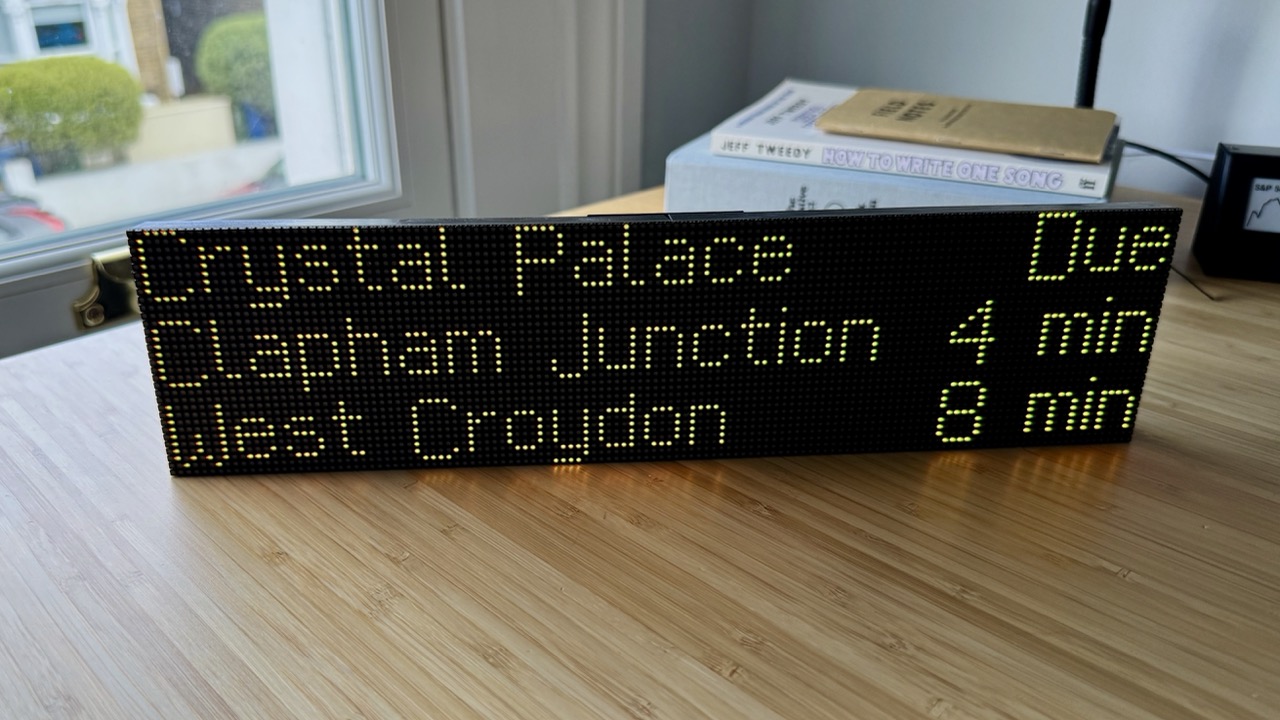
If you’re interested in building this project, the README is comprehensive, so this post will focus on the high-level approach and gotchas.
Kotlin/Python bridge
The display is controlled by a Raspberry Pi via the Adafruit RGB Matrix Bonnet. Python is the standard language for talking to hardware via the Raspberry Pi’s GPIO headers, so I needed some way to get the core Kotlin app talking to Python LED display drivers.
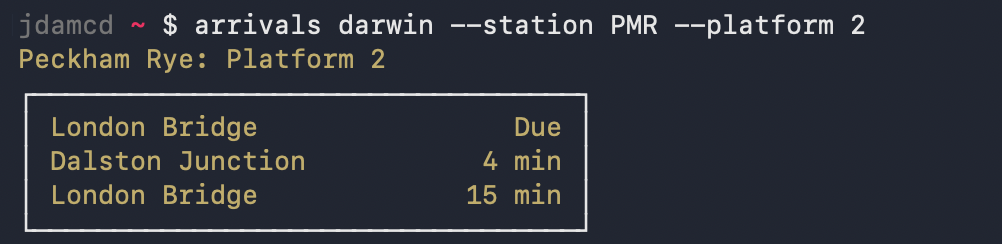
Luckily I’d already built a CLI target, so the approach was:
- Add a
--jsonoutput flag to the CLI - Build Kotlin/Native CLI artifacts to run with no JVM overhead on the Raspberry Pi Zero 2’s 512MB of RAM
- Call the CLI from a thin Python rendering script and parse the train times JSON
The Kotlin Multiplatform compiler doesn’t run on the Raspberry Pi’s linuxArm64 architecture, but the CLI binary can be cross-compiled from macOS or Linux x86 via the :cli:linkReleaseExecutableLinuxArm64 Gradle task.
Bitmap fonts
The LED matrix is a tiny 128x32 resolution, which means displaying crisp text requires a bitmap font where every pixel is fully on or off with no anti-aliasing. I tried out some public domain bitmap fonts to get a first version working. It looked… extremely disappointing.

The London Underground LED displays I’d hoped to emulate have some very distinctive elements:
- Capital letters are larger and sit one pixel below the baseline
iis a single columnyhas an odd horizontal descender, which you can see in the photo at the top of this post
Most generic bitmap fonts are monospaced (e.g. in 8x10.bdf every character is exactly 8 pixels wide and 10 pixels tall), so as well as not looking quite right for this project, they waste very limited horizontal space.
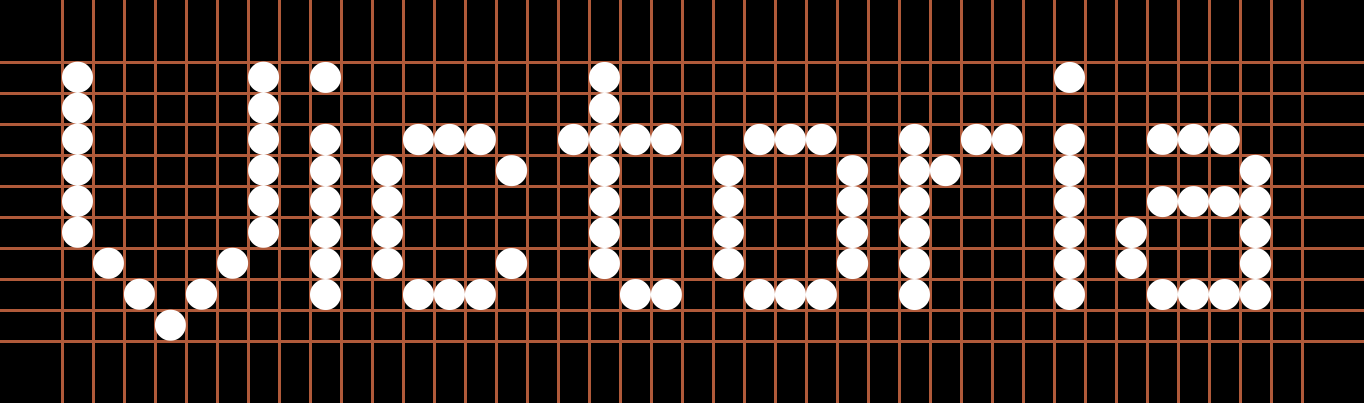
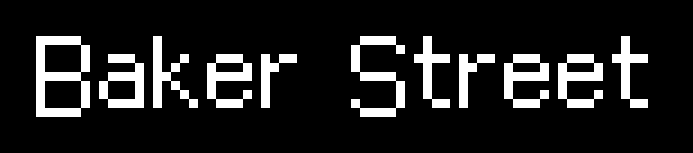
I used Claude Code to transcode a scalable TrueType reproduction of the London Underground dot matrix font into BDF – a 38-year-old format from before pixels were abundant. The resulting bitmap font has a fixed height of 9 pixels and variable character width. This means we can squeeze in 3 rows with a panel height of 32 LEDs.
Flicker
Once everything was up and running, I noticed a subtle flicker whenever data was fetched. This turned out to be the Linux scheduler preempting the LED refresh thread. The fix was to reserve a CPU core by adding isolcpus=3 to /boot/firmware/cmdline.txt. This keeps core 3 off-limits so the LED driver runs there exclusively. On the Pi Zero 2, the rgbmatrix library picks this up automatically. When testing with a Pi 5, I used a patched Piomatter branch that pins the blit thread to the isolated core.
Assembly
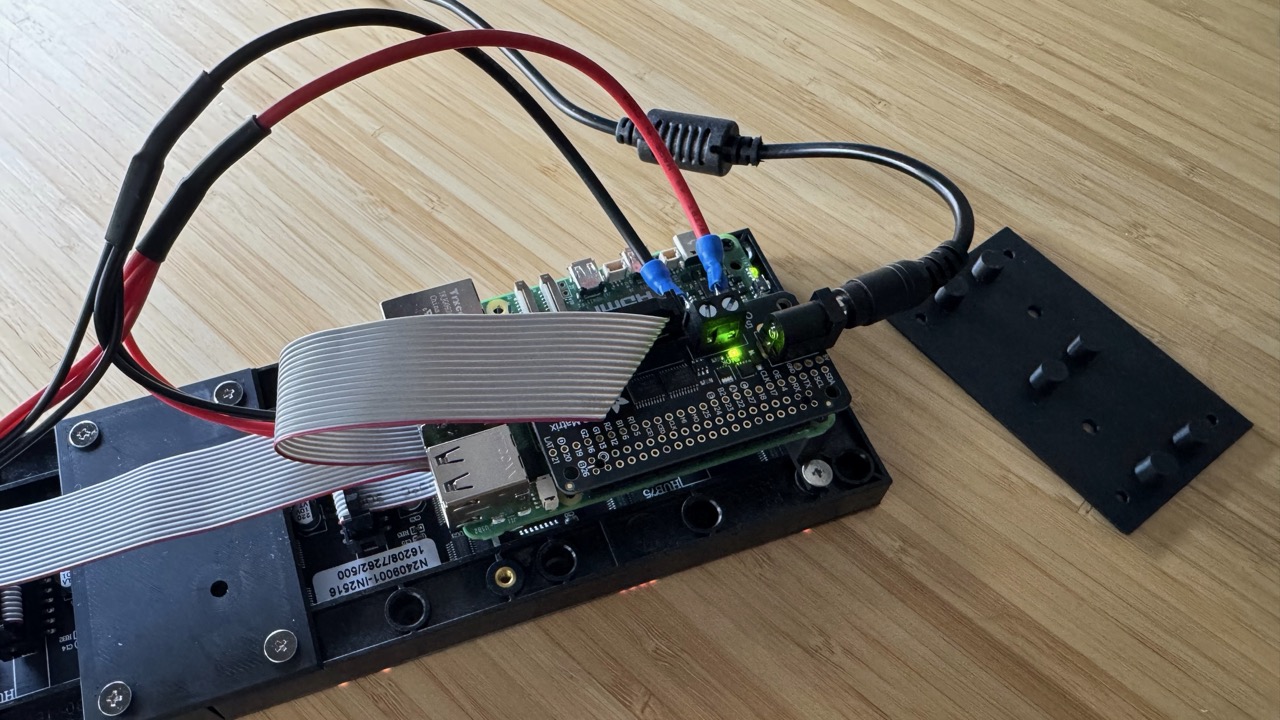
The build itself is very simple:
- Raspberry Pi (5 or Zero 2)
- Adafruit RGB Matrix Bonnet
- 2x 64x32 HUB75 LED panels
The main hardware challenge was joining the two LED units to form a single, seamless panel. I designed a simple 3D-printed bracket. The model is included in the GitHub project, along with a riser to attach the Raspberry Pi to the back of the panel. Measurements might vary between manufacturers (I sourced my LED panels here).
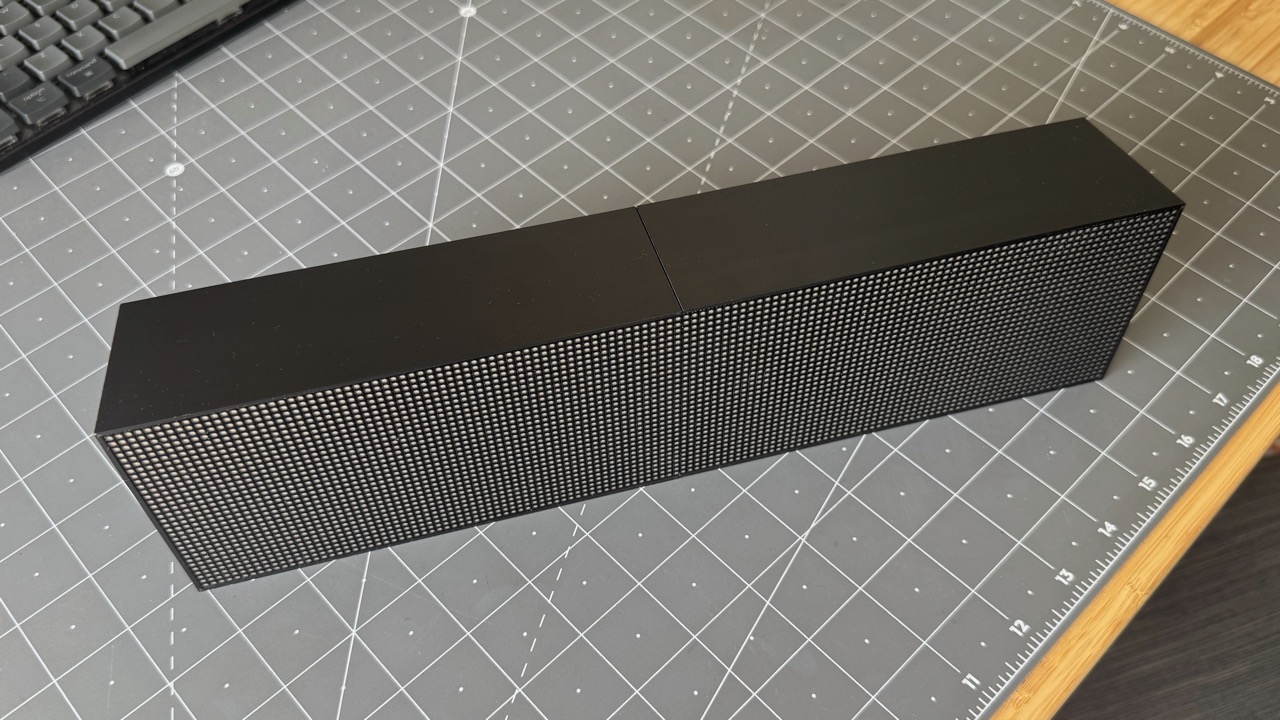
I later designed a case to fully enclose the electronics. This had to be printed in two pieces due to the size, but it screws into the LED panels and feels solid.
Conclusion
This was a great weekend project, and a bit of a rollercoaster: getting the CLI bridge working in no time, almost writing the project off over fonts, going down rabbit holes to debug the flicker, and finally achieving a fairly polished result. It’s now replaced the old LCD version on my shelf to keep my commute on track. 🤩